v0.1.0 · replay-verified · Oct 2026 → Present
Watch & Learn
It watched a tutorial.
Now it does the task.
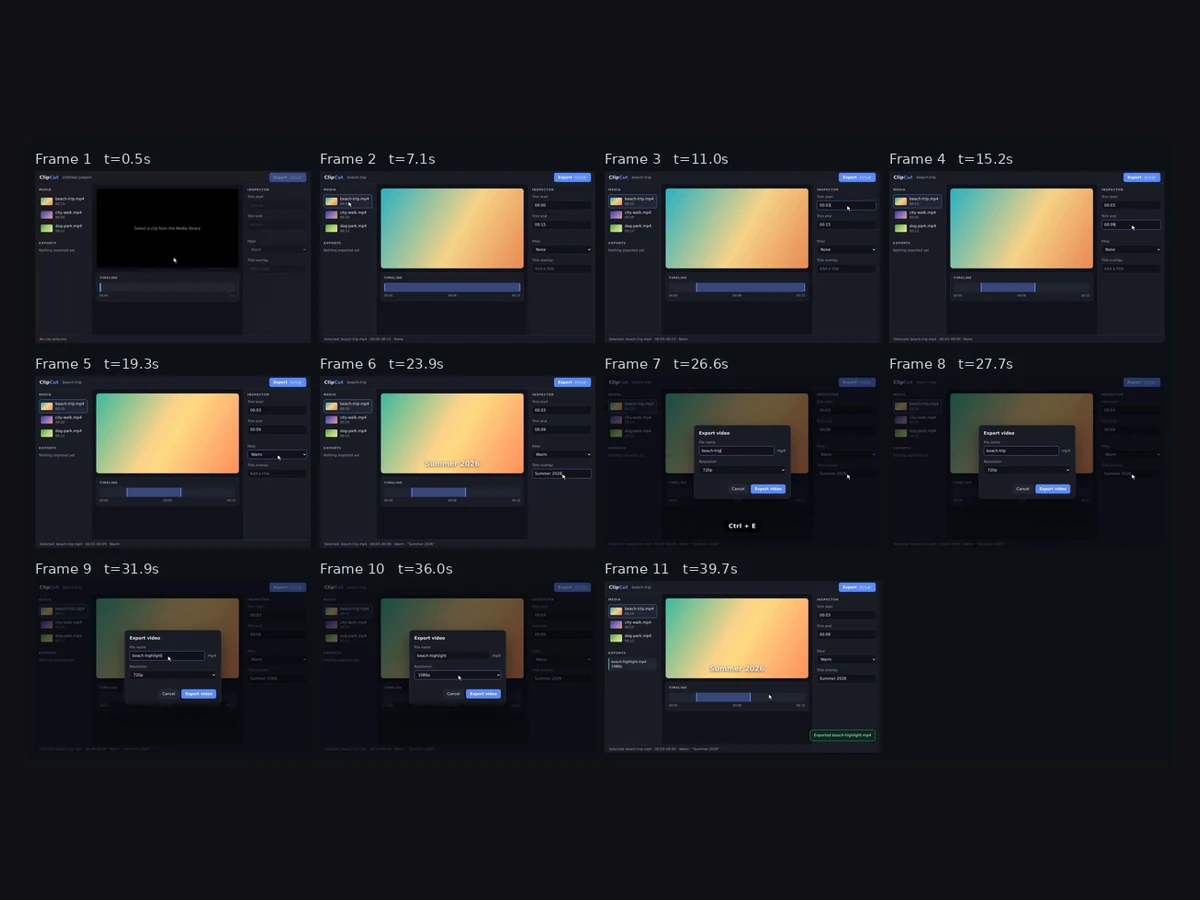
Show it a tutorial video and it compiles the skill — steps, UI targets, variables and success checks — then runs it on your computer with your inputs, and only calls a run a success when the app's end state is checked.

Highlights
The problem.
Most software skills are taught by video: someone records their screen, talks over it, and you pause and copy. The knowledge is all there, locked in a format a computer can't act on.
A computer-use agent can now operate a screen, but it has no idea what your task is. Turning a how-to video into something it can follow — with your file names, your settings, and a way to know it actually worked — is the missing step.
What I built.
Screen tutorials are mostly still, with short bursts of change. Frames are sampled at 8 fps and diffed; each burst is one UI event, and the extractor keeps the calm frame before and the settled frame after. The narration comes from captions, an embedded subtitle track or local Whisper. Claude gets each frame with the words spoken around it and must call emit_skill, and the answer is repaired: undeclared variables added, unusable steps dropped.
The executor plans one grounded action per step from a screenshot and the step with its variables filled in. The Playwright backend resolves targets through the accessibility tree first — role and name, label, placeholder, text — and falls back to Claude's pixel coordinates. Checks are evaluated against the DOM, a failed check is retried with feedback, and an interrupted run can resume in a new browser.
Every skill also exports as a Claude Agent Skill. Every Claude call is keyed by an exact request hash and a semantic key, so runs can be recorded once and replayed without a network.
Screens.
What I considered.
Rejected
Report success when the model says it is done
A run ends as SUCCEEDED only when its success checks were actually evaluated and passed; otherwise it is SUCCEEDED (UNVERIFIED) and exits non-zero.
Rejected
Ship the demo's model responses without saying where they came from
There was no API key in the build environment, so the cassette was authored offline by a script. Every entry is tagged authored, and the demo says so when it starts.
Chosen
Ground in the accessibility tree first, pixels second, and confirm every action by default
It survives a different screen size than the tutorial's, and dry run is the default. The cost: web skills run in one tab, with no drag-and-drop yet.
Results.
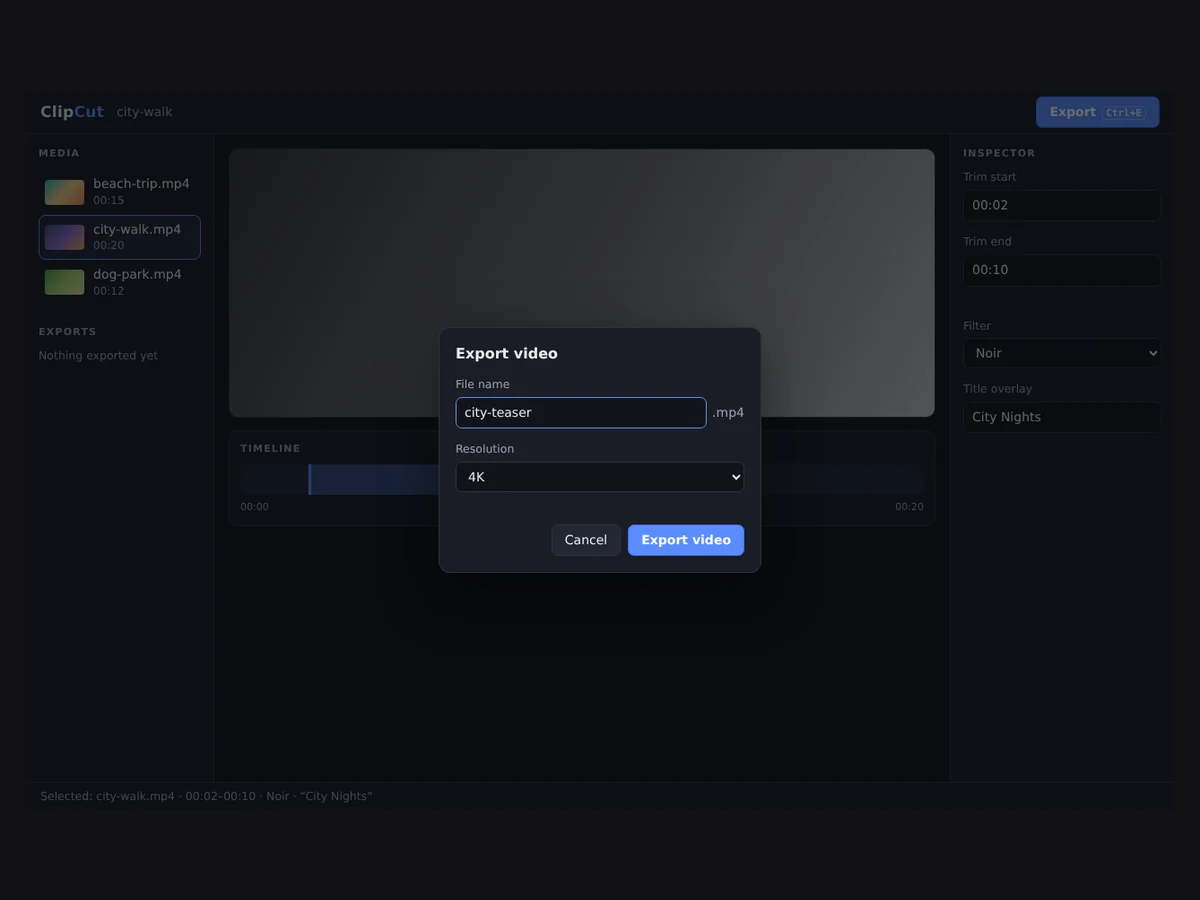
- make demo compiles a 44-second tutorial of the bundled ClipCut editor into a 9-step skill with 7 variables, dry-runs it, runs it in headless Chromium at a different resolution from the recording, and verifies the app's real end state.
- The same skill runs again with inputs the video never showed, and a run stopped halfway resumes in a fresh browser — both verified the same way.
- Those two runs are pre-authored replays too: they show the pipeline works end to end with other values, not that live Claude learns or generalises.
- An independent review found 12 issues, from confirmations skipped on resume to typing into whatever had focus; all fixed. 62 tests in CI on Python 3.10–3.13.
Architecture
How it fits together.
- 01
Tutorialfile or URL
- 02
Key framesUI-change bursts
Transcriptcaptions · Whisper
- 03
CompilerClaude → emit_skill · steps · {{variables}}
- 04
Executorscreenshot → action · AX tree first
- 05
ChecksDOM end state · else UNVERIFIED
In hindsight
The honest summary is that the machinery is proven and the intelligence isn't. No live Claude call was made while building it, so how well the compile and planner prompts work with a real model is the first open question, and `make record` is the first thing to run with a key. The desktop backend, URL downloads and Whisper transcription are wired up and untested end to end. What I'd keep is the unverified status: an agent that is allowed to say 'done' without proof will eventually say it when it isn't.
Tech specs.
- Type
- Project
- Where
- Personal
- When
- Oct 2026 → Present
- Duration
- 1 mo
- Status
- v0.1.0 · replay-verified
- Stack
- PythonClaudePlaywrightOpenCVfaster-whisperFFmpegGitHub Actions
- Caveats
- The bundled demo's Claude responses are pre-authored, not recorded from Claude; live learning and generalisation are untested. The executor, grounding and checks are the real code path.