Beta · Sep 2026 → Present
Once
A capture extension and editor that turn a workflow you perform once into a step-by-step guide — masked before it is saved, and stored on your own device.

Highlights
The problem.
Writing down how to do something is the work nobody does. You click through the task in forty seconds and then spend twenty minutes screenshotting it, so the guide never gets written and the next person asks you instead.
The tools that automate the screenshotting take a copy of your screen to somebody else's server. A recorder watching a browser tab sees password fields, customer records and half-written email — so the interesting question is not how to capture a click, it is what the thing is allowed to keep, decided before anything is written to disk rather than after.
What I built.
A Manifest V3 extension records one explicitly selected tab. Each click becomes a step titled from the element's accessible label with a highlighted screenshot; typed values are never logged, and input, editable and iframe regions are masked before the image is persisted. The recorder compares page revision, viewport and mask geometry from before and after the capture — if the page moved underneath it, the step is kept as text rather than risk an image whose mask no longer covers what it was drawn over.
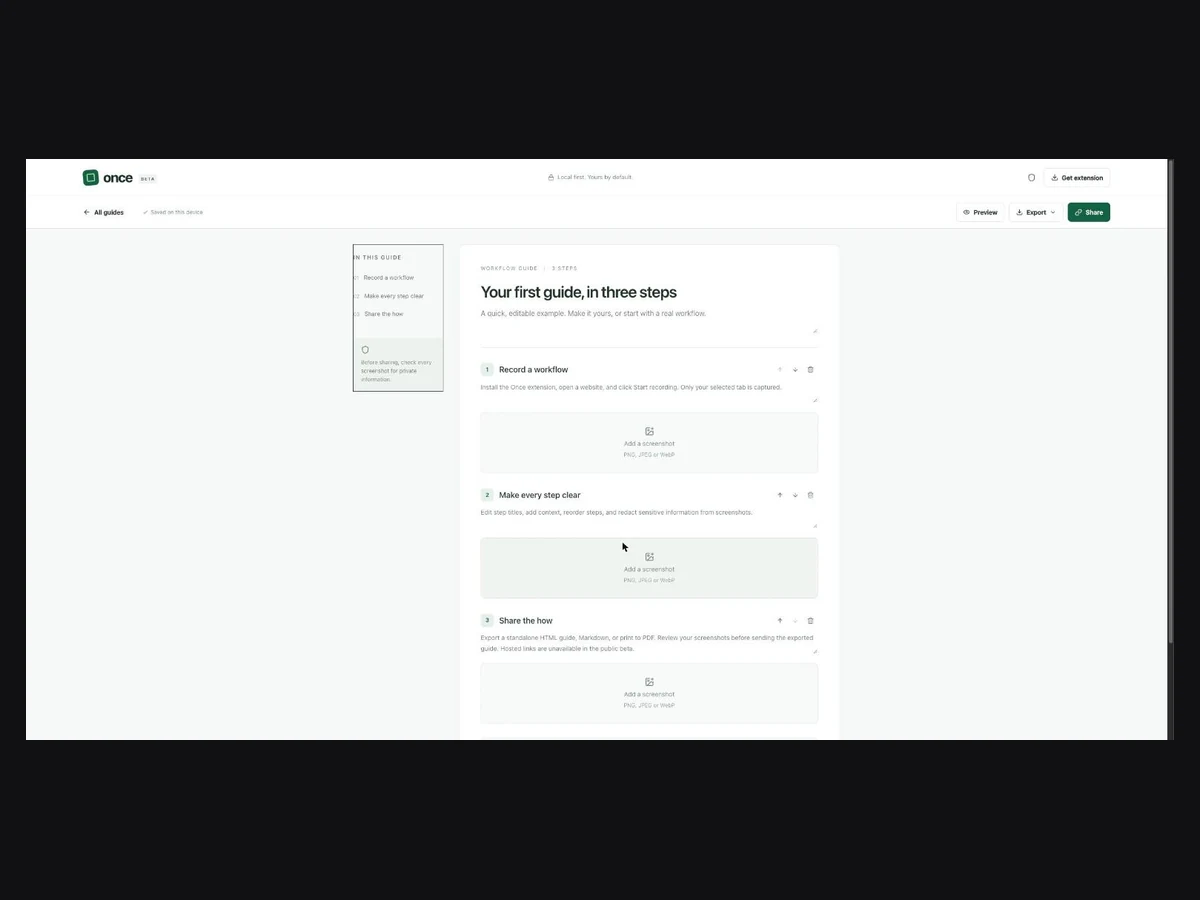
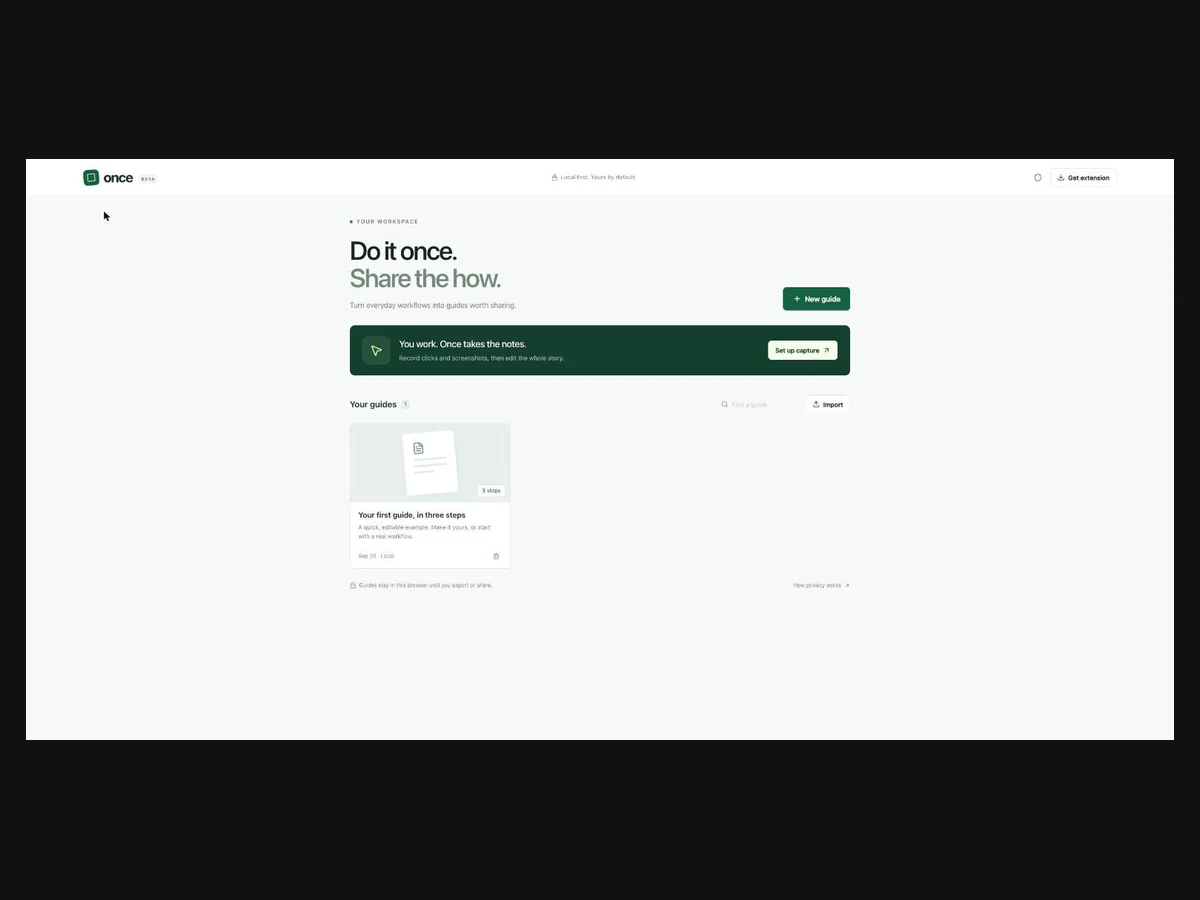
The editor is a React app built with Vite and served from a Cloudflare Worker, but the guides are not on the server: they live in IndexedDB in the browser. Capture hands off through chrome.storage.local behind an explicit import confirmation, and the extension holds its own copy until the editor acknowledges receipt, so a failed handoff costs nothing.
Sharing is optional and end-to-end. The guide is encrypted with AES-GCM in the browser, the ciphertext goes to R2 with an expiry and a revocation hash in D1, and the decryption key never leaves the URL fragment — so the server holds bytes it cannot read. Links expire in seven days, creation is rate-limited per network per day, and revoking one is a bearer token the sender keeps.
Screens.
What I considered.
Rejected
Keep guides in an account on the server
It is what every comparable tool does, and it makes the product the custodian of other people's screenshots on day one — a breach liability bolted on before the first user.
Rejected
Stay entirely local, export to a file only
Honest and nearly useless: the whole point of writing a guide down is sending it to someone.
Chosen
Local-first, with browser-encrypted share links the server cannot read
The device is the source of truth and hosted sharing only ever sees ciphertext, a size and an expiry. The cost is real — guides do not sync between devices and clearing the browser deletes them — which is exactly why export is a first-class action rather than a menu item.
Results.
- Working beta: record, edit, reorder, redact and export a guide as HTML, Markdown, JSON or print-to-PDF.
- Screenshots are masked before they are written, and a step the recorder cannot verify is downgraded to text instead of kept as an image.
- Encrypted share links with seven-day expiry, per-network daily limits and bearer-token revocation, verified end to end against local D1 and R2 emulation.
- 20 automated tests plus typecheck, lint and a production build run on every push through GitHub Actions.
Architecture
How it fits together.
- 01
MV3 extensionone selected tab
- 02
Privacy maskinputs · iframes · before persist
- 03
Handoffchrome.storage.local · · confirmed import
- 04
EditorIndexedDB library
- 05
Share — optionalAES-GCM → R2 · expiry + revoke in D1
In hindsight
It is a beta in the one place that matters: the capture path has been exercised against mocked Chrome APIs far more than against real websites. Permission prompts, navigation timing and how a screenshot actually renders are precisely what a mock cannot vouch for, and that acceptance pass on real desktop Chrome is the work standing between this and a store submission.
Tech specs.
- Type
- Project
- Where
- Personal
- When
- Sep 2026 → Present
- Duration
- 2 mo
- Status
- Beta
- Stack
- TypeScriptReactViteChrome MV3IndexedDBWeb CryptoCloudflare WorkersD1R2Drizzle ORMTailwind CSSGitHub Actions